

FragPunk: Optimal Settings and Crosshair Codes Revealed
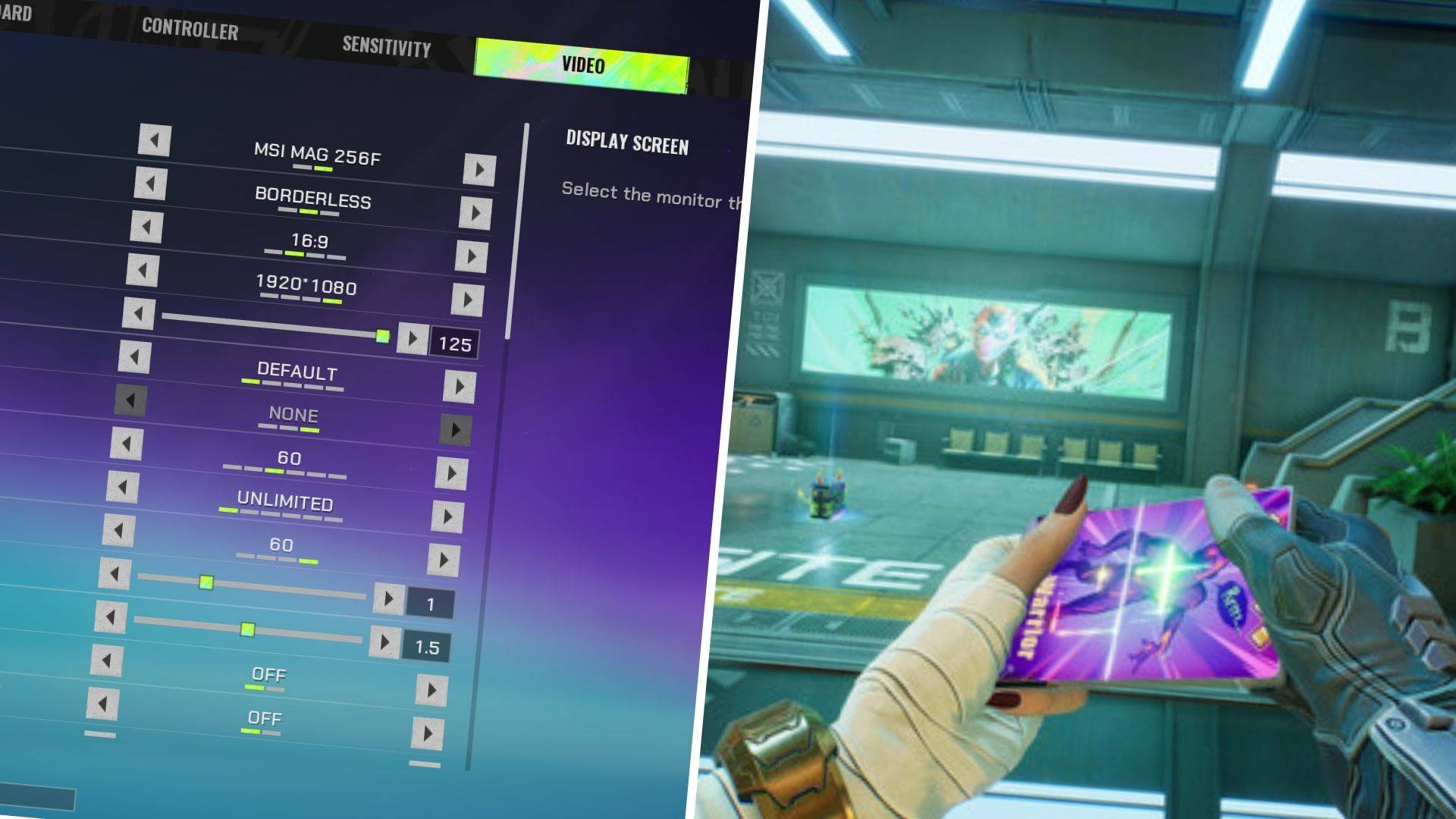
If you're a FragPunk fan, you've likely already encountered the game's impressive performance since its launch. While it’s stable, there's always room to squeeze out a few more frames. To help you optimize your gameplay, here are the best FragPunk settings and crosshair codes.
Recommended Videos: FragPunk Settings Overview
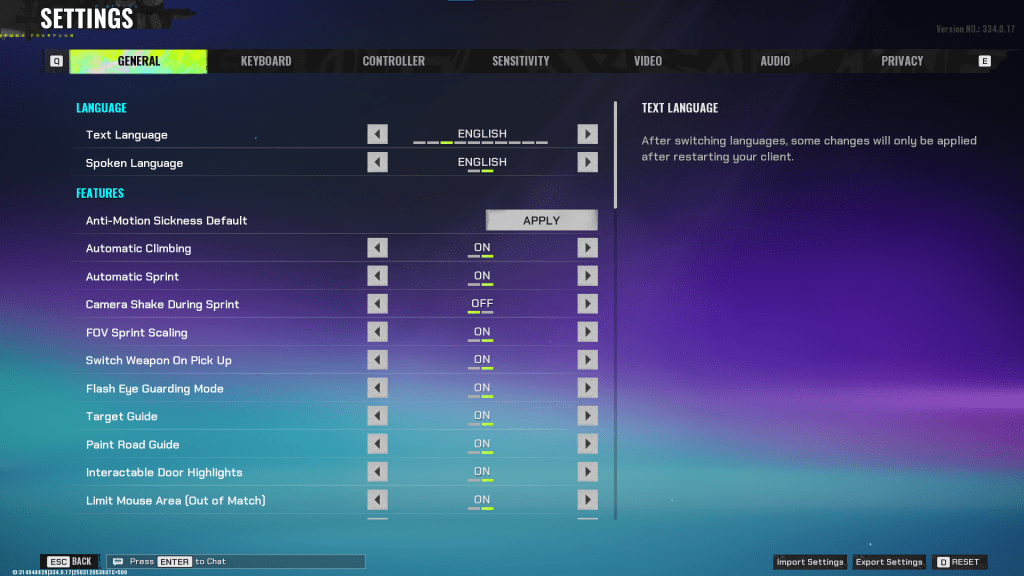
The FragPunk settings are organized across five tabs. While most of these tabs focus on quality-of-life features and accessibility, some adjustments can enhance your gameplay experience. We'll cover the essential settings, while the rest can remain on default or be customized based on your preferences.
General
The General tab includes many quality-of-life and personal preference settings. Experiment with these to find what works best for you. Here are the recommended changes:
- Automatic Climbing: On
- Automatic Sprint: On
- Camera Shake During Sprint: Off
- FOV Sprint Scaling: On
- Flash Eye Guarding: On
- Keep Player Centered: On
- Minimap Orientation Rotate: On
- Performance Metrics: On
- Ping Visibility: 1
- Hide Overly Visible Skin Components from Enemies: On
The General tab also lets you customize your crosshair. We’ll discuss this in detail below.
Keyboard/Controller
Customize your binds as per your comfort. For example, since we enabled Automatic Sprint, you can rebind the Shift key to Walk instead. This aligns with common bindings in other tactical shooters like VALORANT and CS2.
Sensitivity
Sensitivity is entirely subjective. Feel free to tweak it based on personal preference or convert settings from other games like VALORANT or CS2 using an online sensitivity calculator.
Audio
Set the Sound Effects volume to a comfortable level. Reduce the Music, Announcer, and Button Volume for a cleaner experience. Additionally, enable Character Voice Simplification to mute unnecessary dialogue.
For Voice Chat, adjust settings to match your preference.
Related: FragPunk Codes (March 2025)
FragPunk Best Video Settings
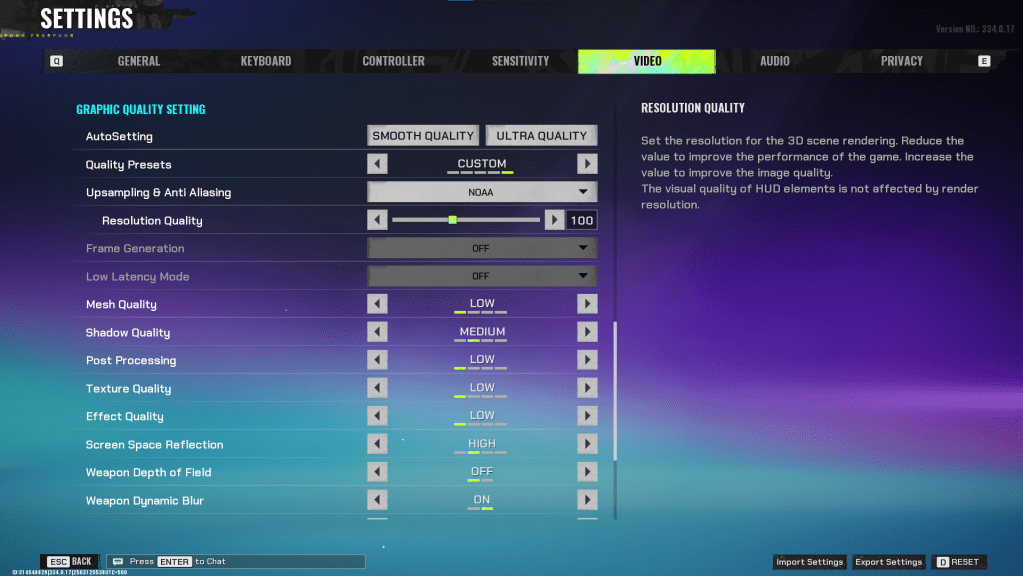
The Video tab offers the most impactful settings for performance. Since FragPunk is a competitive shooter, prioritizing frames is crucial. Even with a powerful PC, these settings ensure peak performance.
Display
| Display Screen | Your Preferred Monitor |
| Display Mode | Fullscreen |
| Display Ratio | Monitor’s Default |
| Display Resolution | Monitor’s Native |
| FOV | 125 |
| Filter | Default or Personal Preference |
| Post Processing Intensity | None or Low |
| Menu Frame Rate Limit | 60 |
| Gameplay Framerate Limit | Monitor’s Refresh Rate |
| Out of Focus Framerate Limit | 60 |
| Brightness | 1 or adjust according to preference |
| Sharpen | Same as Brightness |
| Vertical Sync | Off |
| Anti-Tearing | Off |
| Graphics API | Experiment with DX11 and DX12 to see what works best for your system |
Minimalistic Graphics
Enabling Minimalistic Graphics can boost frame rates by 15-20 FPS, though visuals will take a hit. If you’re okay with the trade-off, consider the following settings:
| Material Complexity | Minimalistic |
| Light Complexity | Minimalistic |
| Scene Saturation | Minimalistic |
| Effects Complexity | Minimalistic |
| Dead Effect | Off |
| Damage Numbers | On |
| UI Info Simplification | On |
| UI Animation Simplification | Off |
Graphics Quality Settings
| Quality Presets | Custom |
| Upscaling and Anti-Aliasing | For AMD GPUs, use FSR 2 with Performance. For NVIDIA GPUs, use NVIDIA Image Scaling with Performance. Alternatively, set it to NOAL with 100% for no upscaling. |
| Mesh Quality | Low |
| Shadow Quality | Medium |
| Post Processing | Low |
| Texture Quality | Low |
| Effect Quality | Low |
| Screen Space Reflections | High |
| Weapon Depth of Field | Off |
| Weapon Dynamic Blur | On |
| Scene Dynamic Blur | Off |
| Ray Tracing | Off |
| SSGi | On |
| UI Resolution | High. Doesn’t affect in-game FPS. |
| Animation Physics | Off |
FragPunk Best Crosshair Codes
Creating a crosshair is essential in FragPunk. While it won’t make you a pro, it can certainly help. Here are some solid crosshair codes to try:
Classic Plus
azazafzaezaezaezaezfczazaabzaafzazaaabzazaczaczaczaczfcbzbzaabzaafzazaaabzFFFFFFzFFFFFFClassic Dot
czazafzaezagzagzagzfczbzaabziedzazaaabzazaczaczaczaczfcbzbzaabzaafzazaaabzFFFFFFzFFFFFFPrecision Plus
azazafzaezaezaezaezabzazaabziedzazaaabzazaczaczaczaczfcbzbzaabzaafzazaaabzFFFFFFzFFFFFFClassic T Shaped
bzazafzaezaezaezaezabzbzaabziedzazaaabzazaczaczaczaczfcbzbzaabzaafzazaaabzFFFFFFzFFFFFFragPunk is available now on PC. Happy gaming!
-
 Star RisingLead your team from college to the Hall of Fame and the World Cup. Make history! Are you ready?Become the world's greatest basketball player!Our game features a unique career mode, allowing every basketball fan to freely experience different basketba
 -
 Geography QuizHow many countries can you name? Explore flags, maps, coats of arms, and capitals!The Flags of the World Quiz has evolved into the Geography Quiz, introducing new categories and difficulty levels. Its four primary game modes are: FLAGS, MAPS, COATS O
 -
 EmojiNation 2Discover fresh puzzles, new characters, an engaging plot, and exciting new ways to play!In response to the many requests from fans of the original Emojination, we are thrilled to introduce the amazing sequel: Emojination 2!Enjoy solving a wider varie
 -
 Wolfoo Jigsaw PuzzleWolfoo Jigsaw Puzzle offers a delightful way for kids and parents to bond while playing together."Wolfoo Jigsaw Puzzle is an engaging brain game that enhances children's logical thinking, mental agility, and short-term memory through vibrant shapes a
 -
 Taiwan GoTaiwan Go is an innovative app that seamlessly blends entertainment, marketing strategies and gamification elements. This application brings virtual mission adventures into real-world scenarios, creating unique interactive experiences for users. Cur
 -
 Игра в Слова - Кроссворд ОюнуLink the letters and uncover the word!Do you enjoy forming words from scattered letters and discovering hidden terms? We think you'll love this game. To complete the crossword, locate all the concealed words.How to play:- Swipe to connect the provide




