Free Fire: Optimize Headshot Settings
Free Fire, Garena's wildly popular battle royale game, delivers fast-paced, adrenaline-fueled action perfect for quick, intense gaming sessions. Each match clocks in around 10 minutes, making it ideal for players on the go. Diamonds, the in-game premium currency, unlock character, vehicle, and weapon customizations. This guide explores ways to acquire free diamonds within the game.
What are Headshots?
In Free Fire, headshots are the ultimate power move, instantly eliminating opponents. Mastering this skill requires the right settings, techniques, and consistent practice. Precision aiming is key to gaining a significant advantage.
Best Sensitivity Settings for Headshots
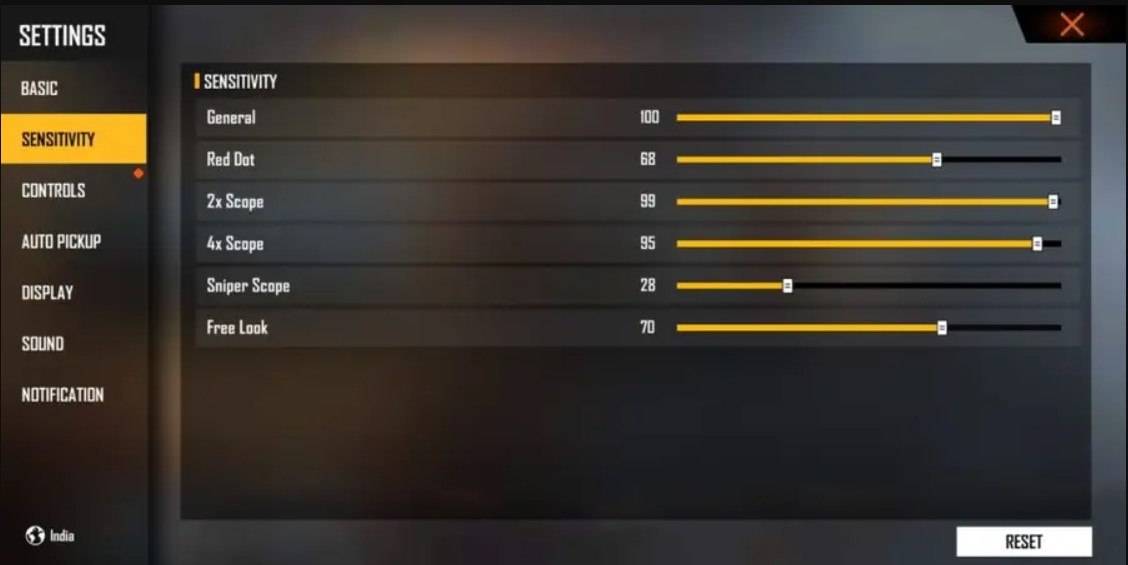
Sensitivity settings are crucial for accurate aiming, especially for headshots. Fine-tuning these settings ensures smooth and precise crosshair movement.
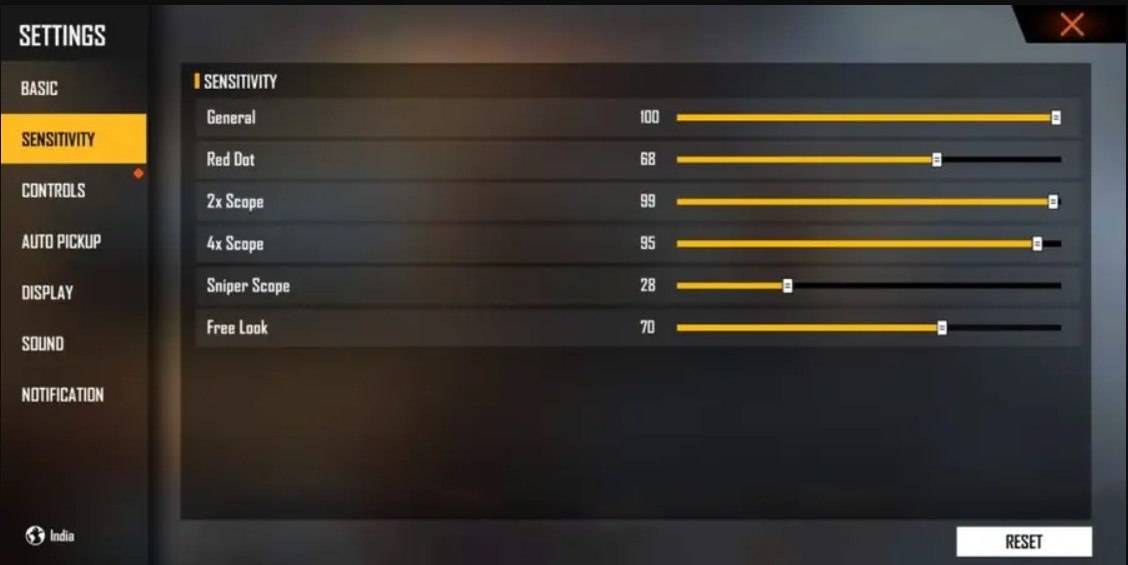
Recommended Settings: Aim Precision: Default; Left Fire Button: Always; Reload Progress on Crosshair: Off; Hold Fire to Scope: On; Grenade Slot: Double Slot; Vehicle Controls: Two-handed; Auto-parachute: On; Quick Weapon Switch: On; Quick Reload: Off; Run Mode: Classic; Free Look: On
Optimize your HUD Layout
Your HUD layout significantly impacts your performance. A personalized setup tailored to your playstyle is essential. Consider these optimizations:
- Fire Button Placement: Position for easy thumb access without strain. Many pros use three- or four-finger claw setups.
- Drag Shooting: Enable drag shoot, keeping the fire button size between 50-70% for precise swiping.
- Quick Weapon Switch: Place the weapon switch button near your thumb for rapid access.
- Crouch and Jump Buttons: Position these near movement controls for efficient crouch + shoot and jump + shoot techniques.
- Scope Button: Keep the scope button close to your index finger for quick aiming and headshot alignment.
Increase your Headshot Accuracy Using BlueStacks Tools
While mobile screens are great for navigation, a larger PC or laptop screen offers superior aiming precision. BlueStacks enhances your headshot accuracy with improved graphics, customizable keyboard controls, and more:
- Keyboard and Mouse Support: Map controls to your keyboard and mouse for greater accuracy than touch controls.
- Customizable Key Mapping: Customize controls to your preference, assigning the fire button to the mouse for smoother drag shots.
- Enhanced Graphics and Performance: Enjoy higher graphics settings without lag or overheating.
- Improved Sensitivity Settings: Fine-tune sensitivity for better control of drag shots and scoped headshots.
Experience Free Fire's enhanced gameplay on a larger screen with the precision of keyboard and mouse controls using BlueStacks!
-
 Shark VPN: Fast & SecureShark VPN: Fast & Secure is a robust and dependable VPN application built for Android. It delivers high-speed connections that work flawlessly across all major carriers, such as Hamrah Aval and Irancell, as well as Wi-Fi networks. Our app places a hi
 -
 NoCard VPN - No Card NeededExperience NoCard VPN, the premier app for safeguarding your online privacy and overcoming restrictions. Trusted by more than 20 million users globally, it delivers secure, private browsing on all Android devices. Access a worldwide network of VPN se
 -
 Root ExplorerMaster Your Android File System with Root ExplorerUnlock the full potential of your Android device with Root Explorer, the premier file management application engineered for advanced users and casual organizers alike. This powerful tool provides seam
 -
 ROVPNMeet ROVPN, the ultimate VPN app designed to simplify and elevate your online experience. With a single connection, our app offers effortless access to a variety of secure servers, ensuring top‑level encryption and security for all your data. We con
 -
 College BoundCollege Bound is an innovative app designed to support students seeking international exchange programs and scholarships. Picture this: after years of dedication to your college studies, you and your girlfriend Summer have finally earned a spot in a
 -
 Bad MannersIn the captivating app "Bad Manners," the disgraced Prince Hans faces a pivotal moment when presented with an extraordinary proposition. After his failed bid for the throne, Hans is unexpectedly offered the role of principal at the prestigious Imper