

Home > Apps > Video Players & Editors > Airbuds Widget

| App Name | Airbuds Widget |
| Developer | Capp Inc. |
| Category | Video Players & Editors |
| Size | 12.52M |
| Latest Version | v1.3.1 |
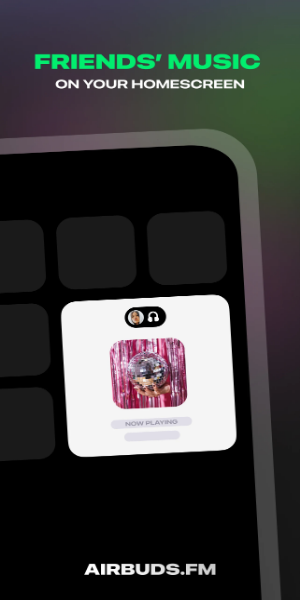
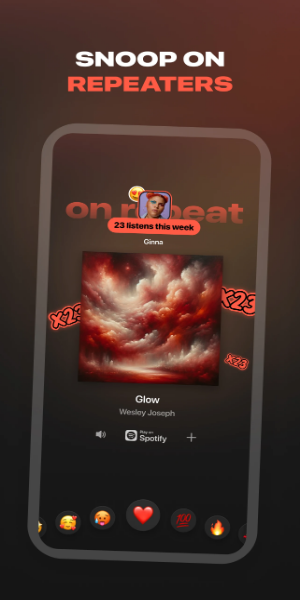



The Airbuds Widget is a home screen widget created to share your listening activity with close friends. See what music your friends are currently playing right from your device's home screen. React to their songs, play tracks on your own apps, and spark conversations—all while feeling more connected through the music they love in real time.
Discover the Airbuds Widget: A Unique Music Sharing Experience
The Airbuds Widget transforms the way you bond with friends over music. This innovative tool lets you and your friends share your current listening activity directly on your home screen. By showing real-time updates of the songs your friends are enjoying, the Airbuds Widget brings you closer together through shared musical moments.
Engage with Music Together
With the Airbuds Widget, interacting with your friends' music choices is effortless. You can react to the songs they’re playing, listen to the same tracks on your preferred music apps, and start chats based on shared musical tastes. This not only boosts your social connections but also expands your music discovery by introducing you to new genres and artists your friends recommend.
How Does Airbuds Widget Work?
The Airbuds Widget works smoothly to create a shared music experience among friends. Here’s a simple breakdown of how to use it:
1. Spotify Integration: Connect Your Account
First, connect the Airbuds Widget with your Spotify account. This allows the widget to access your listening data and share it with your friends. You'll need to authorize the connection so the widget can accurately display real-time updates of your music.
2. View Friends' Listening Activities
Once connected, the Airbuds Widget shows what your friends are listening to directly on your home screen. This live feed gives you instant insight into their music preferences and current playlists. Song titles and album covers appear as they play, making it easy to discover new music and keep up with their latest favorites.
3. Engage and Share Music Interests
The Airbuds Widget lets you interact with your friends' music in several ways:
-React to Songs: Share your feelings about the tracks your friends are playing by liking or reacting directly from the widget.
-Play Music on Your Apps: With a single tap, you can play the same songs or playlists on your favorite music apps, such as Spotify or Apple Music. The widget ensures smooth playback across compatible platforms.
-Start Conversations: Use music as a conversation starter. Talk about favorite artists, albums, or genres based on what your friends are listening to. This feature strengthens social bonds and deepens connections through shared musical interests.
The Airbuds Widget turns solo listening into a social and collaborative experience. By bringing friends closer through shared music, no matter where they are, the widget enhances your overall enjoyment. Whether you're exploring new tunes together or simply staying connected through musical tastes, the Airbuds Widget makes music a central part of your social life.
Enhancing Social Connectivity
The Airbuds Widget goes beyond sharing music—it builds connections and bridges distances through shared moments. By seamlessly integrating with your Spotify account and displaying real-time updates of your friends' listening habits, it turns private listening into a social activity. Whether you're finding new music together or enjoying each other's favorite tracks, the Airbuds Widget enriches friendships by making music a key part of your shared experiences.
-
 2025 Gacha Games: Full Release List
-
 Azure Latch Codes (March 2025)
-
 Black Ops 6 Zombies: How To Configure The Summoning Circle Rings on Citadelle Des Morts
-
 Roblox: SpongeBob Tower Defense Codes (January 2025)
-
 Persona 5: Phantom X Playtest Leaks on SteamDB
-
Chimera Clan Boss Guide: Top Builds, Masteries, and Gear for RAID: Shadow Legends