


| App Name | Auto forward SMS to PC / Phone |
| Developer | Enstone |
| Category | Tools |
| Size | 4.09M |
| Latest Version | 1.15.58 |


Introducing Auto forward SMS to PC / Phone - Seamless Communication Across Devices
Auto forward SMS to PC / Phone is a revolutionary app that ensures seamless communication across multiple devices, including your phone, computer, and webserver. With its powerful features, you can effortlessly forward your outgoing or incoming SMS/MMS messages using various mediums like SMS, MMS, and email.
What makes Auto forward SMS to PC / Phone stand out?
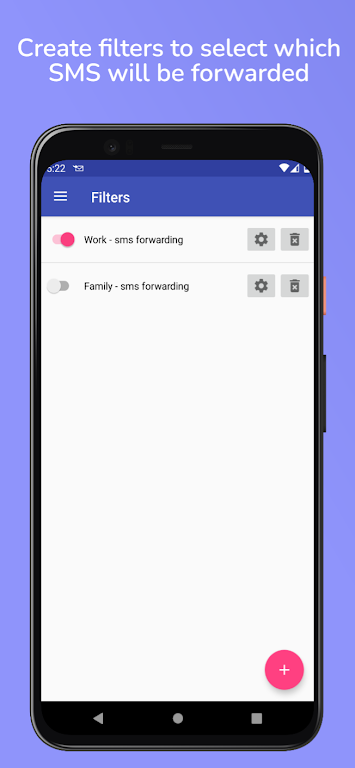
- Intelligent Filtering: Create custom filters to transfer messages based on sender or content. This allows you to prioritize important conversations and avoid missing crucial information.
- Multiple Device Compatibility: Forward messages to another phone, computer, or webserver, ensuring you stay connected regardless of your device.
- SIM Card Selection: If your phone has multiple SIM cards, you can choose which one to use for sending messages, giving you complete control over your messaging preferences.
- Ad-Free Experience: Enjoy a clutter-free experience without any distracting ads.
Key Features of Auto forward SMS to PC / Phone:
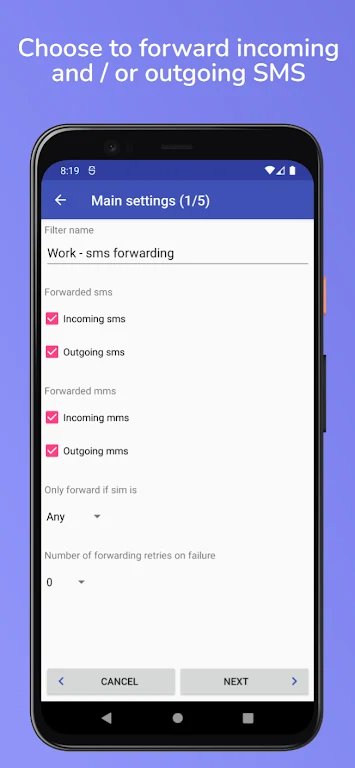
- SMS/MMS Forwarding: Easily forward both outgoing and incoming SMS/MMS messages to another phone, computer, or webserver.
- Email Integration: Forward your SMS/MMS messages to a computer using email, allowing you to access and manage them conveniently from your desktop or laptop.
- Webserver Compatibility: Forward your SMS/MMS messages to a webserver using HTTP in JSON format, enabling you to integrate them into web-based applications or databases in real-time.
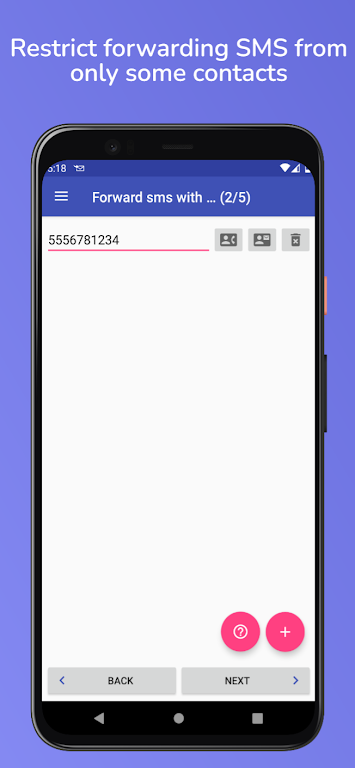
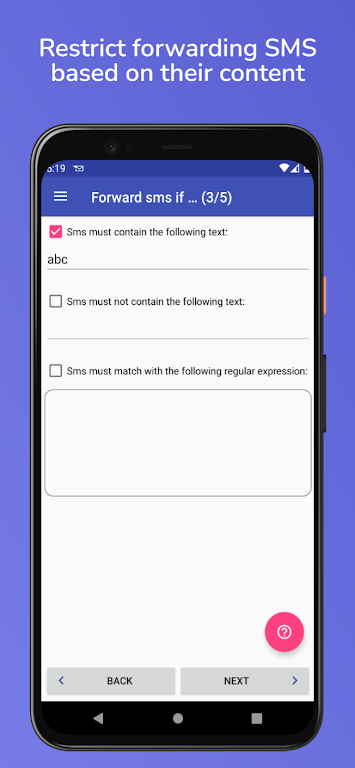
- Customized Filtering: Create personalized filters to transfer SMS/MMS messages based on the sender or content, allowing you to organize and prioritize messages according to your needs.
- SIM Card Selection: Choose which SIM card to use for sending messages if your phone has multiple SIM cards.
- Ad-Free Experience: Enjoy an uninterrupted user experience without any distracting ads.
Conclusion:
Auto forward SMS to PC / Phone simplifies and enhances your SMS/MMS management with its comprehensive range of features. Whether you need to synchronize messages between devices, forward important authentication messages, or create personalized filters, Auto forward SMS to PC / Phone offers a seamless and convenient solution. Download Auto forward SMS to PC / Phone now to streamline your messaging experience and gain full control over your SMS/MMS communication.
-
 2025 Gacha Games: Full Release List
-
 Black Ops 6 Zombies: How To Configure The Summoning Circle Rings on Citadelle Des Morts
-
 Azure Latch Codes (March 2025)
-
 Roblox: SpongeBob Tower Defense Codes (January 2025)
-
 Persona 5: Phantom X Playtest Leaks on SteamDB
-
Chimera Clan Boss Guide: Top Builds, Masteries, and Gear for RAID: Shadow Legends