


| App Name | Inkpad Notepad & To do list |
| Developer | Workpail |
| Category | Lifestyle |
| Size | 4.30M |
| Latest Version | 4.3.14 |
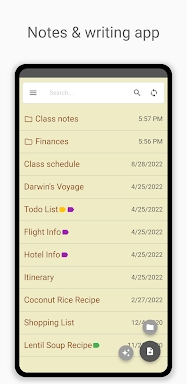
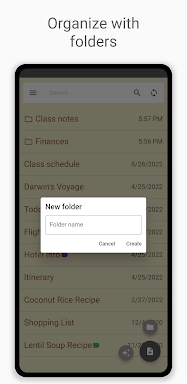
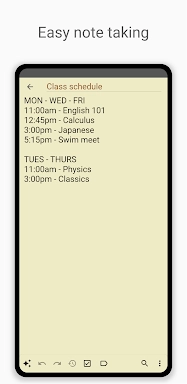


Inkpad Notepad & To do list is a user-friendly and efficient app designed to streamline your note-taking and task management. Its standout features include autosave, which ensures you never lose your content, comprehensive checklists for to-do lists, and a powerful search function for quick note retrieval. The app's syncing capability allows seamless access to your notes across Android and iOS devices, while a secure online backup and restore option safeguards your data. Additionally, you can access your notes through the InkpadNotepad.com web browser, keeping them within reach no matter where you are. The integrated AI chat assistant is a game-changer, offering smart note editing, brainstorming support, and learning tools to boost your productivity. For those looking for extra security and functionality, the premium version includes features like PIN Code protection and Note History.
Features of Inkpad Notepad & To do list:
⭐ Autosave Notes - Never worry about losing your notes again with automatic saving.
⭐ Checklists/To-do-list Notes - Easily manage your tasks with customizable checklists.
⭐ Search Notes - Quickly find what you need with an efficient search tool.
⭐ Sync Notes Across Android/iOS Devices - Access your notes seamlessly across your devices.
⭐ Secure Online Backup/Restore - Keep your data safe with secure online backup options.
⭐ AI Chat Assistant for smart note editing, brainstorming, and learning - Get help with editing, ideation, and learning from an integrated AI.
How to use this app?
Download and Install: Start by downloading Inkpad from your device's app store.
Open the App: Once installed, open Inkpad and explore its intuitive interface.
Create a New Note: Simply tap the add button to start a new note or to-do item.
Use the AI Assistant: Engage the AI chat assistant for enhanced note editing and brainstorming sessions.
Organize with Checklists: Convert notes into checklists to keep your tasks organized and on track.
Search Notes: Utilize the search feature to effortlessly find specific notes.
Sync Across Devices: Set up an account to ensure your notes sync across all your devices.
Secure Backup: Enable the secure online backup feature to protect your data from loss.
Access from Browser: Visit InkpadNotepad.com to access your notes from any web browser.
Upgrade to Premium: Consider upgrading to the premium version for added benefits like PIN Code protection and Note History.
-
 2025 Gacha Games: Full Release List
-
 Black Ops 6 Zombies: How To Configure The Summoning Circle Rings on Citadelle Des Morts
-
 Roblox: SpongeBob Tower Defense Codes (January 2025)
-
 Azure Latch Codes (March 2025)
-
 Persona 5: Phantom X Playtest Leaks on SteamDB
-
Chimera Clan Boss Guide: Top Builds, Masteries, and Gear for RAID: Shadow Legends