


| App Name | Internal Audio Screen Recorder |
| Developer | Jaya Zone Tech |
| Category | Tools |
| Size | 10.00M |
| Latest Version | 1.1.0 |
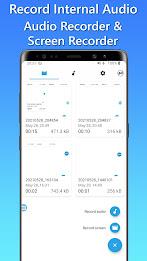
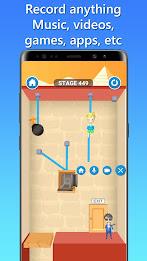
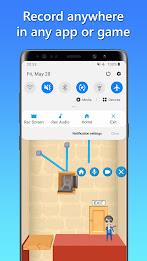


Introducing Internal Audio Screen Recorder, the ultimate screen recording app for Android that empowers you to create high-quality videos with the added benefit of capturing internal audio. Whether you're crafting tutorials, recording gameplay, or capturing audio from your favorite apps, Internal Audio Screen Recorder has you covered.
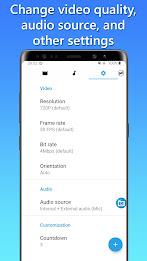
Internal Audio Screen Recorder offers a suite of customization options to ensure your recordings are perfect. Adjust video quality, resolution, frame rate, bit rate, and orientation to Achieve your desired results. Select your preferred audio source, choosing to record internal audio only or a combination of internal and external audio for clear commentary.
Prepare for your recordings with the countdown feature and choose your preferred save location, whether it's Internal storage or your SD card. Personalize your experience by switching between different themes to customize your interface.
Internal Audio Screen Recorder simplifies post-production with built-in audio and video trimmers, allowing you to effortlessly remove unwanted parts from your recordings. The app also boasts a convenient floating button for easy access and a built-in media player for previewing and managing your recordings. Share your creations seamlessly with friends and colleagues, expanding your reach and engaging your audience.
Features of Internal Audio Screen Recorder:
- Capture High-Quality Videos: Record your screen and internal audio with exceptional quality.
- Customization Options: Fine-tune your recordings with adjustable video quality, resolution, frame rate, bit rate, and orientation.
- Audio Source Choices: Record internal audio only or both internal and external audio for clear commentary.
- Countdown and Save Options: Prepare for your recordings with the countdown feature and save recordings in Internal storage or SD card.
- Personalization: Customize your interface by switching between different themes.
- Trim and Edit: Easily remove unwanted parts from your recordings using the built-in audio and video trimmers.
Conclusion:
Internal Audio Screen Recorder is the ultimate screen recording app for Android users. Its powerful features enable you to capture high-quality videos with internal audio, making it ideal for creating tutorials, gameplay videos, or recording from your favorite apps. Customize your recordings to perfection, choose your audio sources, and enjoy the convenience of countdown and save options. Personalize your experience with different themes and easily trim and edit your recordings. The app also offers a floating button for easy access and a built-in media player for previewing and managing your recordings. Share your content seamlessly and engage with your audience. Start capturing your screen and internal audio today with Internal Audio Screen Recorder.
-
EnregistreurSep 25,24Application fonctionnelle, mais l'interface utilisateur pourrait être améliorée.Galaxy S22+
-
TechieJul 16,24Internal Audio Screen Recorder is a must-have for anyone who creates video tutorials or gameplay recordings. The quality is excellent and it's very easy to use.iPhone 13
-
录屏达人May 26,24这款录屏软件非常好用,音质清晰,操作简单,强烈推荐!iPhone 14 Pro
-
AufnehmerApr 11,24Eine gute App zum Aufnehmen von Bildschirmvideos. Die Audioqualität ist gut, aber die Bedienung könnte einfacher sein.Galaxy Note20 Ultra
-
GrabadorDec 23,23Buena aplicación para grabar la pantalla, pero a veces tiene problemas con el audio interno.Galaxy S20
-
 2025 Gacha Games: Full Release List
-
 Black Ops 6 Zombies: How To Configure The Summoning Circle Rings on Citadelle Des Morts
-
 Roblox: SpongeBob Tower Defense Codes (January 2025)
-
 Azure Latch Codes (March 2025)
-
 Persona 5: Phantom X Playtest Leaks on SteamDB
-
Chimera Clan Boss Guide: Top Builds, Masteries, and Gear for RAID: Shadow Legends