

Home > Apps > Communication > LINE: Calls & Messages

| App Name | LINE: Calls & Messages |
| Developer | LINE Corporation |
| Category | Communication |
| Size | 75.93M |
| Latest Version | v13.19.1 |
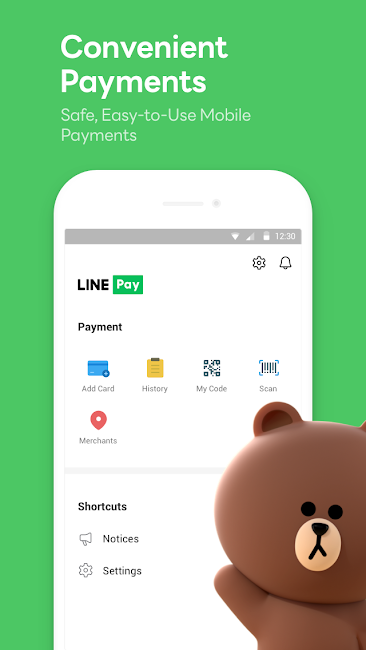
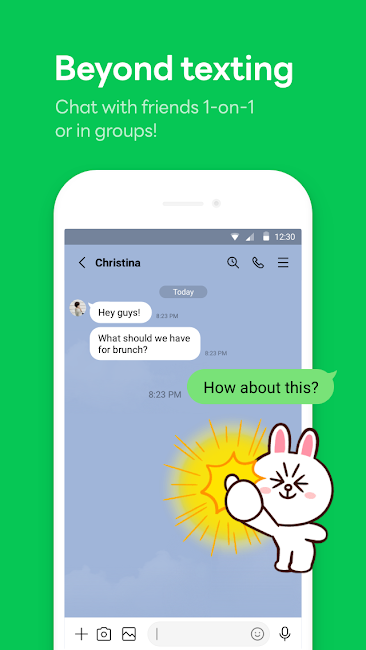


LINE redefines how we connect, bringing family, friends, and loved ones closer together with free, instant communication. Enjoy voice and video calls, messaging, and an ever-growing library of expressive stickers—unlocking new ways to convey yourself. Accessible globally on mobile, desktop, and Wear OS, LINE’s platform is constantly evolving, introducing fresh services and features that add fun and convenience to your daily life.

Features of LINE:
Messages, Voice Calls, Video Calls
Stay in touch with your LINE contacts through rich communication options. Whether you’re sharing casual updates, conducting business calls, or just catching up, enjoy smooth messaging, quick voice calls, or face-to-face video chats. LINE makes cross-platform communication effortless.
LINE Stickers, Emojis, and Themes
Share your personality with LINE’s huge collection of stickers and emojis. Choose from a diverse palette of emoticons to spice up your messages, and explore thousands of lively stickers to share emotions and humor. Make the app truly yours with a wide selection of themes to personalize your chat background and style.
Home
The Home tab is your central hub, putting essential LINE features at your fingertips. Manage your friends, keep track of birthdays, browse the sticker shop, and discover new services and content—all from a single, easy-to-navigate screen.
Seamless Connection on Mobile, Wear OS, and PC
Chat and call wherever you are, on any device. Switch seamlessly between your smartphone, Wear OS smartwatch, or desktop, ensuring you stay connected and reachable at home, at work, or on the move.
Store Your Personal Information with Keep Memo
Create a private chatroom with Keep Memo to save important messages, photos, and videos. This handy feature gives you a secure space inside LINE to organize and retrieve anything you don’t want to lose from your conversations.
Messages Protected with Letter Sealing
Guard your privacy with Letter Sealing, an encryption feature that secures your messages, call logs, and location data. Feel confident that your chats remain protected from unauthorized access, enhancing your security on LINE.
Smartwatch Integration
When using a Wear OS smartwatch, sync it with LINE to view and reply to messages right from your wrist. Add LINE as a watch-face complication for instant access, so you can stay updated without pulling out your phone.
Tips for Users:
1. Installation and Setup:
- Download LINE from your device’s app store—Google Play for Android or the App Store for iOS.
- Launch the app and follow the prompts to register using your phone number or email.
2. Adding Friends:
- After signing in, add friends by entering their LINE ID, scanning a QR code, or syncing contacts from your device.
3. Messaging:
- Tap a friend’s name to open a chat.
- Type into the text field and hit send.
- Spice up your chats with emojis, stickers, and GIFs.
4. Voice and Video Calls:
- In any chat, tap the phone icon for a voice call or the camera for video.
- Wait for your friend to accept to start the call.
5. Exploring Features:
- Navigate sections like Home, where you manage your friend list, see birthdays, and explore additional services.
- Customize your app’s look with themes from the theme shop.
6. Privacy and Security:
- Activate Letter Sealing for encrypted, private messaging.
- Adjust notifications and privacy controls to suit your preferences.
7. Cross-Platform Access:
- Use LINE on smartphones, Wear OS smartwatches, and desktops for seamless, anywhere communication.
These steps give you a clear starting point for using LINE’s calling and messaging features. For more specific guidance or troubleshooting, check LINE’s official help resources or support section inside the app.

Conclusion:
LINE is a multifaceted communication platform that seamlessly blends messaging, voice, and video calling. With its massive library of stickers, emojis, and customizable themes, every conversation becomes a chance for personal expression. The Home tab keeps navigation intuitive, offering one-stop access to your friend list, birthdays, and the latest LINE services. Wherever you are—on your phone, Wear OS watch, or desktop—LINE delivers uninterrupted connectivity, backed by tools like Keep Memo for secure storage and Letter Sealing for end‑to‑end encryption. Discover a smarter way to stay in touch across all your devices with LINE.
-
 2025 Gacha Games: Full Release List
-
 Black Ops 6 Zombies: How To Configure The Summoning Circle Rings on Citadelle Des Morts
-
 Roblox: SpongeBob Tower Defense Codes (January 2025)
-
 Azure Latch Codes (March 2025)
-
 Persona 5: Phantom X Playtest Leaks on SteamDB
-
Chimera Clan Boss Guide: Top Builds, Masteries, and Gear for RAID: Shadow Legends