

Home > Apps > Personalization > M-Playerrr for KLWP

| App Name | M-Playerrr for KLWP |
| Developer | David Pitoko |
| Category | Personalization |
| Size | 44.96M |
| Latest Version | v2.0 |
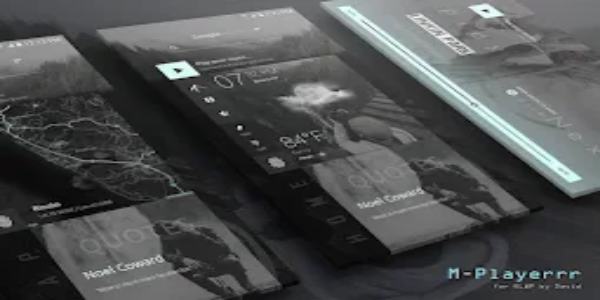
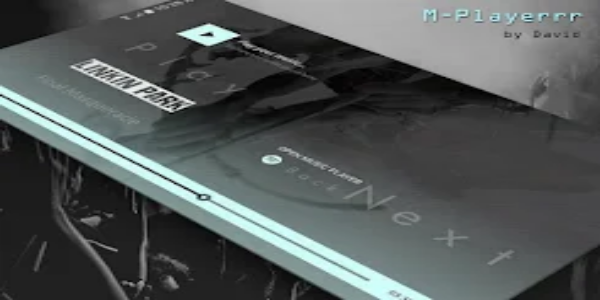
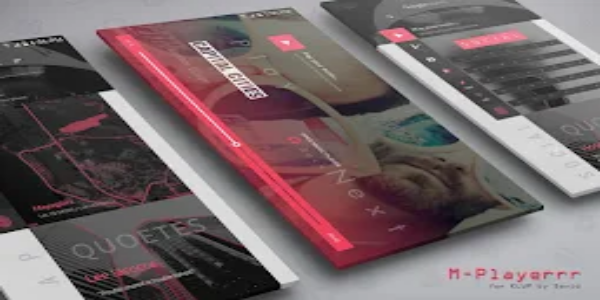


M-Playerrr for KLWP revolutionizes Android home screen interaction with powerful, customizable tools. Moving beyond traditional launchers, it utilizes KLWP (Kustom Live Wallpaper Maker) to deliver dynamic, personalized home screen layouts. Ideal for beginners and experts alike, it offers an intuitive platform to turn your Android device into a stylish, fully functional personal hub.
Getting Started with M-Playerrr for KLWP
Unlock your Android’s full potential with M-Playerrr and KLWP—a dynamic pairing that transforms your home screen into a custom masterpiece. Whether you’re just starting with customization or are a seasoned user, these tools make it easy to adapt your device to your tastes and needs.
Boost your Android experience through a wide range of customization features. Change icons and layouts, add fluid gestures and animations, and use M-Playerrr with KLWP to build dynamic, responsive live wallpapers that show real-time information at a glance.
Setting Up for Customization
Start by installing M-Playerrr and KLWP, then set them as your default launcher. Follow these steps for a smooth setup:
Activate wallpaper scrolling and hide the dock in Nova Launcher.
- Use a single home screen page for a clean, uncluttered look.
- Configure gestures and app drawer preferences to simplify navigation.
- With seamless Android integration, M-Playerrr and KLWP let you tweak every element of your home screen. Choose from diverse icon packs, grid sizes, and animations to boost aesthetics and usability. Widgets and shortcuts make organizing apps and info simple and efficient.
Creating Dynamic Live Wallpapers with M-Playerrr for KLWP
M-Playerrr for KLWP lets you craft interactive live wallpapers that evolve beyond static images. Maximize its features with these tips:
- Build custom wallpapers displaying live weather, calendar events, and system stats.
- Add touch-responsive animations and transitions for a smooth user interface.
- Extend functionality by integrating third-party plugins to further personalize your live wallpaper.
- Let your creativity flow with live wallpapers that adjust to your daily life. Whether you prefer minimalism or rich visuals, KLWP’s flexibility keeps your screen fresh and engaging.
Embracing Personalization and Customization
Customization with M-Playerrr and KLWP is all about individuality and enhancing daily interaction. Discover why personalization counts:
- Tailor your device to match your personal style and workflow.
- Boost productivity with optimized layouts and quick-access shortcuts for your favorite apps.
- Explore a vibrant community offering themes, widgets, and icons to spark inspiration.
- By personalizing your Android, you not only craft a unique environment but also improve usability and enjoyment. Whether you focus on looks, functionality, or both, M-Playerrr for KLWP gives you the tools to design a home screen that truly represents you.
Conclusion:
M-Playerrr for KLWP frees Android users from generic interfaces, enabling deeply personalized home screen designs. From Nova Launcher Pro settings for optimized layout to KLWP Pro key features for animated live wallpapers, every step improves both visual charm and day-to-day usability. Embrace customization and let your Android device reflect your unique style.
-
 2025 Gacha Games: Full Release List
-
 Black Ops 6 Zombies: How To Configure The Summoning Circle Rings on Citadelle Des Morts
-
 Azure Latch Codes (March 2025)
-
 Roblox: SpongeBob Tower Defense Codes (January 2025)
-
 Persona 5: Phantom X Playtest Leaks on SteamDB
-
Chimera Clan Boss Guide: Top Builds, Masteries, and Gear for RAID: Shadow Legends