

Home > Apps > Productivity > MyKMBS

| App Name | MyKMBS |
| Developer | Konica Minolta Business Solutions, U.S.A., Inc. |
| Category | Productivity |
| Size | 9.80M |
| Latest Version | 2.2.3 |
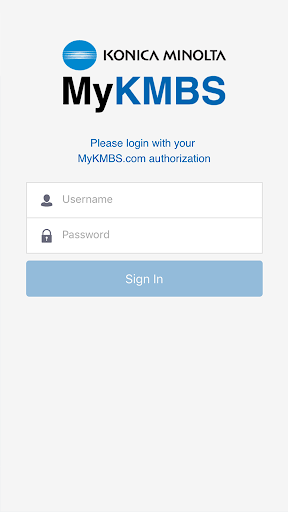
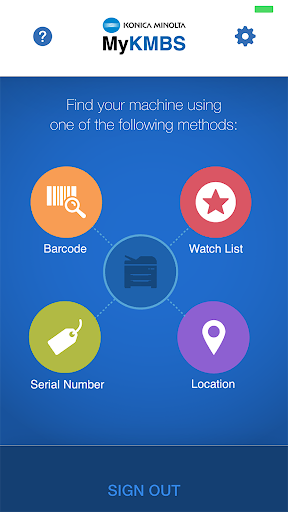
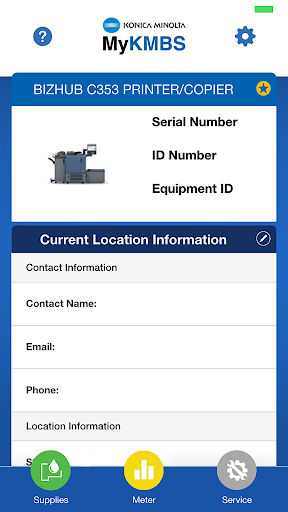
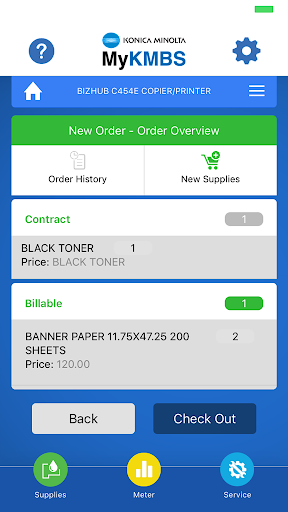


MyKMBS is the essential companion app for Konica Minolta customers. It simplifies your workflow by offering quick access to everything required for maintaining your multifunction devices. With just a few taps, you can schedule service appointments, order supplies tailored to your machine, submit meter readings, and review your usage history. MyKMBS also stands out with its ability to identify your device through multiple methods—such as scanning barcodes or using GPS location—making it a flexible and easy-to-use alternative to the MyKMBS web portal.
Key Features of MyKMBS
* Convenient and Fast Access: MyKMBS offers a fast, user-friendly solution for managing Konica Minolta multifunction devices. From scheduling service requests and ordering supplies to submitting meter readings and accessing additional resources, everything is just a tap away on your mobile device.
* Multiple Machine Identification Modes: Identify your device effortlessly with different options such as barcode scanning and GPS location. These features allow for quick, accurate device recognition so you can carry out machine-specific tasks with ease.
* Streamlined Service Call Scheduling: Easily arrange service calls directly through the app. Skip the phone calls and emails—schedule support when you need it, ensuring timely service and minimal disruption.
* Efficient Supply Ordering: Ordering machine-specific supplies is simple. Browse the available options, select the items you need, and place your order through the app for doorstep delivery, helping you maintain productivity with minimal downtime.
Tips for Users
* Utilize Barcode Scanning: Quickly link your Konica Minolta device to your account by scanning its barcode with your smartphone camera. This instantly gives you access to related tasks and resources.
* Enable Location Services: Activate location services on your device to take advantage of GPS-based identification. The app will use your location to show relevant tasks and machine-specific options.
* Regularly Update Meter Readings: Keep your machine’s maintenance and billing accurate by regularly submitting meter readings via the app. This helps track usage, identify maintenance needs, and uncover potential savings.
Conclusion
MyKMBS provides a powerful and user-friendly mobile platform for managing Konica Minolta multifunction devices. With capabilities like barcode scanning, GPS-based identification, easy service scheduling, and supply ordering, the app helps users complete essential tasks efficiently. By using these features and keeping meter readings up to date, customers can enhance productivity, improve billing accuracy, and ensure their devices remain in optimal condition.
-
 2025 Gacha Games: Full Release List
-
 Black Ops 6 Zombies: How To Configure The Summoning Circle Rings on Citadelle Des Morts
-
 Azure Latch Codes (March 2025)
-
 Roblox: SpongeBob Tower Defense Codes (January 2025)
-
 Persona 5: Phantom X Playtest Leaks on SteamDB
-
Chimera Clan Boss Guide: Top Builds, Masteries, and Gear for RAID: Shadow Legends