


| App Name | One Key: password manager |
| Developer | GByte |
| Category | Tools |
| Size | 21.60M |
| Latest Version | 5.5.5 |
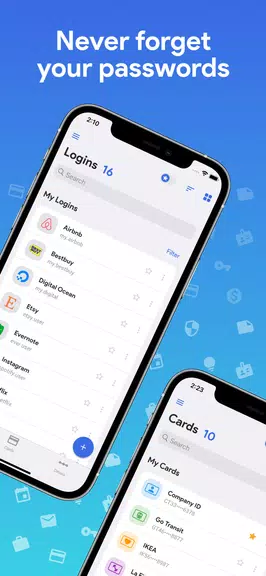


Tired of juggling countless passwords and fretting about online security? One Key: password manager app is your solution. This offline password manager utilizes robust AES-256 bit encryption to safeguard your passwords, all secured with a single master password. No internet connection, ads, or eye-straining bright themes here – just secure, offline password management in a dark, user-friendly interface. From generating OTP codes to storing credit card information, One Key provides comprehensive protection for your sensitive data.
With features like auto-fill, password strength indicators, and seamless backup/restore capabilities, managing your passwords becomes effortless. Experience the stress-free convenience and peace of mind that comes with a truly secure, all-in-one password manager.
Features of One Key: password manager:
Secure Encryption: Your passwords are shielded by the industry-leading AES-256 bit encryption algorithm, guaranteeing maximum security for your sensitive information.
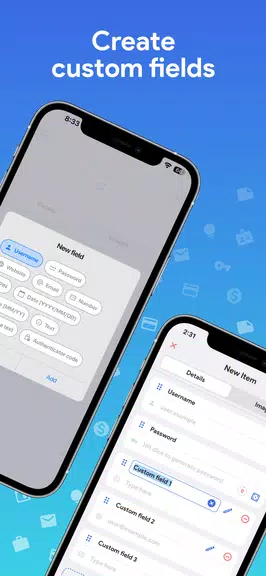
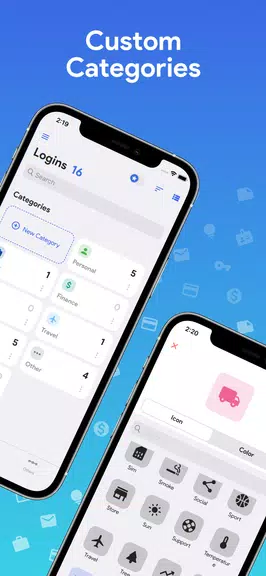
Custom Categories: Organize your passwords and other data with customizable categories and fields for easy access and management.
Offline Access: Enjoy complete peace of mind knowing One Key operates entirely offline, keeping your data safe and sound on your device.
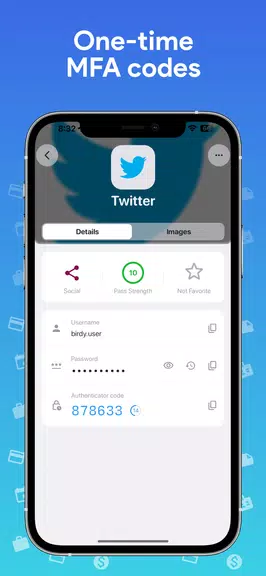
OTP/MFA Code Generation: Generate one-time passwords and multi-factor authentication codes directly within the app for enhanced security.
Dark Theme: A sleek dark theme provides a visually appealing and comfortable user experience.
Export/Import and Backup/Restore: Easily manage your data with CSV import/export and secure backup/restore capabilities to prevent data loss.
Tips for Users:
Set a Strong Master Password: Create a robust and unique master password to ensure the highest level of security for your encrypted data.
Utilize the Password Generator: Leverage the built-in password generator to create strong, complex passwords for optimal protection.
Enable Auto-Lock: Activate the auto-lock feature for automatic app locking when your screen turns off, adding an extra layer of security.
Customize Categories: Organize your passwords effectively using custom categories and fields for efficient access to specific information.
Utilize OTP/MFA Codes: Enhance your login security by generating one-time passwords or multi-factor authentication codes directly within the app.
Conclusion:
One Key: password manager offers a comprehensive and secure offline solution for managing your passwords and sensitive information. With its robust encryption, customizable features, and convenient OTP/MFA code generation, this app provides unparalleled security and peace of mind. Download One Key today and experience the convenience of having all your passwords securely stored in one place.
-
 2025 Gacha Games: Full Release List
-
 Azure Latch Codes (March 2025)
-
 Black Ops 6 Zombies: How To Configure The Summoning Circle Rings on Citadelle Des Morts
-
 Roblox: SpongeBob Tower Defense Codes (January 2025)
-
 Persona 5: Phantom X Playtest Leaks on SteamDB
-
Chimera Clan Boss Guide: Top Builds, Masteries, and Gear for RAID: Shadow Legends