


| App Name | Peacock TV: Stream TV & Movies |
| Developer | Peacock TV LLC |
| Category | Lifestyle |
| Size | 36.00M |
| Latest Version | 4.11.22 |



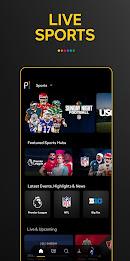


Peacock TV, brought to you by NBCUniversal, is your go-to streaming service for an unparalleled entertainment experience. With its unique "freemium" model, you can enjoy a free tier with ads or opt for premium options for an uninterrupted, ad-free journey or access to more exclusive content. Dive into a world of live sports, breaking news, and unmissable events, including the Olympics and Premier League matches. Peacock TV boasts an extensive library featuring content from Universal, DreamWorks Animation, and Focus Features, ensuring there's something for everyone.
Features of Peacock TV: Stream TV & Movies:
❤ Gain access to hundreds of movies from top Hollywood studios such as Universal, DreamWorks Animation, and Focus Features.
❤ Immerse yourself in thousands of hours of TV series, from complete seasons of fan-favorite shows to binge-worthy classics.
❤ Enjoy Peacock Channels for a diverse selection of entertainment and news, including SNL, Fallon Tonight, NBC Sports, WWE, and more.
❤ Experience hit Spanish-language TV shows and news from Telemundo.
❤ Create up to 6 personal profiles to tailor the viewing experience to each family member's preferences.
❤ Upgrade to Peacock Premium Plus for an ad-free experience, 24/7 streaming of your local NBC channel, and the ability to download titles for offline viewing on your mobile devices.
Conclusion:
Peacock TV: Stream TV & Movies offers an expansive array of entertainment options, from movies and TV series to live sports and news channels. The app enhances your viewing with personalized profiles and the flexibility to upgrade to premium packages for features like ad-free streaming and local channel access. Download Peacock today and immerse yourself in a world of culture-defining entertainment, all in one convenient place.
How to use this app?
Download the App: Begin your Peacock TV journey by installing the app from your device's app store.
Create an Account: Sign up for a new account or log in if you're already a user.
Choose a Plan: Decide between the free option, Peacock Premium, or Peacock Premium Plus to suit your viewing needs.
Browse Content: Navigate through the app's rich content library to find movies or series that pique your interest.
Set Reminders: Make use of the app's reminder feature to never miss an upcoming show or movie.
Stream Live Content: Tune in to live sports, news, and events for real-time entertainment.
Adjust Video Quality: Optimize your viewing experience by adjusting the video quality settings according to your network conditions.
Use Profiles: Customize your viewing with up to 6 profiles, each tailored to individual preferences.
Download for Offline Viewing: Take advantage of the download feature available with Premium plans to enjoy your favorite titles offline.
Contact Support: Should you need any assistance, reach out to Peacock TV's support team directly through the app.
-
 2025 Gacha Games: Full Release List
-
 Azure Latch Codes (March 2025)
-
 Black Ops 6 Zombies: How To Configure The Summoning Circle Rings on Citadelle Des Morts
-
 Roblox: SpongeBob Tower Defense Codes (January 2025)
-
 Persona 5: Phantom X Playtest Leaks on SteamDB
-
Chimera Clan Boss Guide: Top Builds, Masteries, and Gear for RAID: Shadow Legends