

Home > Apps > Personalization > PicRemix AI Art & Avatars

| App Name | PicRemix AI Art & Avatars |
| Developer | MyVias |
| Category | Personalization |
| Size | 57.20M |
| Latest Version | 2.1.5 |


Unlock your creative potential with the groundbreaking PicRemix AI Art & Avatars app. Turn everyday photos into breathtaking works of art using simple uploads and the power of advanced AI technology. Whether you're looking to design a personalized avatar, convert a sketch into a stunning visual, or visualize your text descriptions as vivid images, PicRemix delivers all the tools you need in one intuitive platform. With cutting-edge features like Object Replacement and an inspiring AI Gallery, your artistic journey knows no bounds.
Key Features of PicRemix AI Art & Avatars:
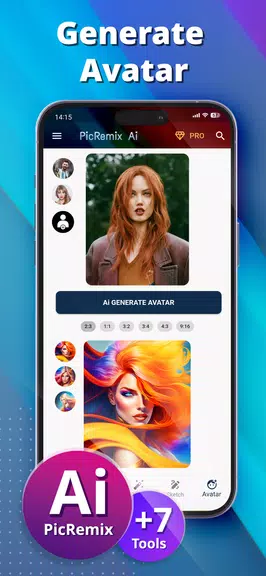
AI Avatar Creator
Easily turn any photo into a striking piece of digital art with the AI Avatar Creator. Upload your image, select a preferred style, or describe your vision, and let the AI generate a unique avatar tailored to your taste—perfect for crafting standout social profiles, gaming icons, or personal branding assets.
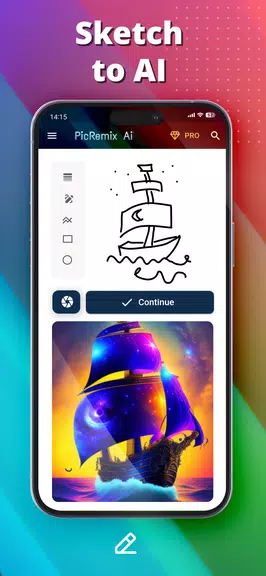
Sketch to AI
Bring your hand-drawn ideas to life with the Sketch to AI feature. Whether you snap a photo of a rough sketch or create one digitally, the app transforms it into a polished, visually rich artwork. This tool is ideal for illustrators, designers, and hobbyists eager to explore new dimensions of their creativity.
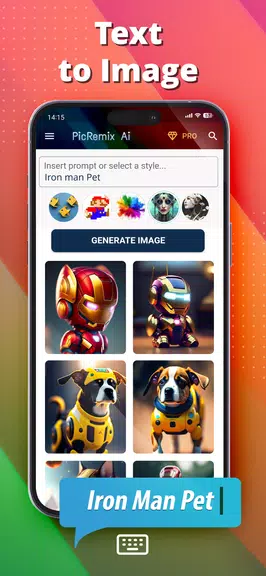
Text to Image
Turn your imagination into reality by converting descriptive text into compelling visuals. Just type in what you envision, choose an artistic style, and watch as the AI interprets your words into original, high-quality images. It’s perfect for concept art, storytelling, or simply exploring abstract creativity.
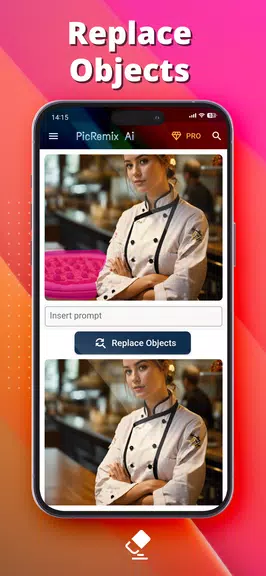
Object Replacement
Refine your images effortlessly with the intelligent Object Replacement tool. Remove unwanted elements or swap them out for something entirely new, giving you full control over your composition. Whether you're editing product mockups, enhancing portraits, or creating surreal scenes, this feature elevates your image manipulation game.
Pro Tips for Getting the Most from PicRemix:
Explore Different Styles
When using the AI Avatar Creator or Text to Image tools, don’t hesitate to play around with various styles and settings. Each variation can produce dramatically different results, helping you discover fresh aesthetics and refine your artistic expression.
Combine Tools for Unique Results
Enhance your workflow by layering features. Start with a sketch and enhance it using the Avatar Creator, or edit a photo using Object Replacement before applying a specific artistic filter through Text to Image. The synergy between tools opens up endless creative opportunities.
Showcase Your Masterpieces
Once you’ve created something truly special, save it to your collection and share it across your favorite platforms. Let your followers, friends, or clients admire your work and inspire others to explore the world of AI-generated art.
Final Thoughts:
PicRemix AI Art & Avatars stands out as a versatile and user-friendly application that empowers both casual creators and seasoned artists alike. From transforming selfies into avatars to generating complex visual compositions from text prompts, this app redefines digital creativity. By blending features like Sketch to AI, Text to Image, and Object Replacement, users gain access to a dynamic toolkit that encourages experimentation and innovation. So why wait? Download [ttpp] today and begin turning your ideas into captivating visuals with the help of smart AI technology. Let your imagination lead the way and discover the artist within!
-
 2025 Gacha Games: Full Release List
-
 Azure Latch Codes (March 2025)
-
 Black Ops 6 Zombies: How To Configure The Summoning Circle Rings on Citadelle Des Morts
-
 Roblox: SpongeBob Tower Defense Codes (January 2025)
-
 Persona 5: Phantom X Playtest Leaks on SteamDB
-
Chimera Clan Boss Guide: Top Builds, Masteries, and Gear for RAID: Shadow Legends