

Home > Apps > Art & Design > Pofi Brush

| App Name | Pofi Brush |
| Developer | Pofi Entertainment |
| Category | Art & Design |
| Size | 721.8 MB |
| Latest Version | 3.4.0 |
| Available on |
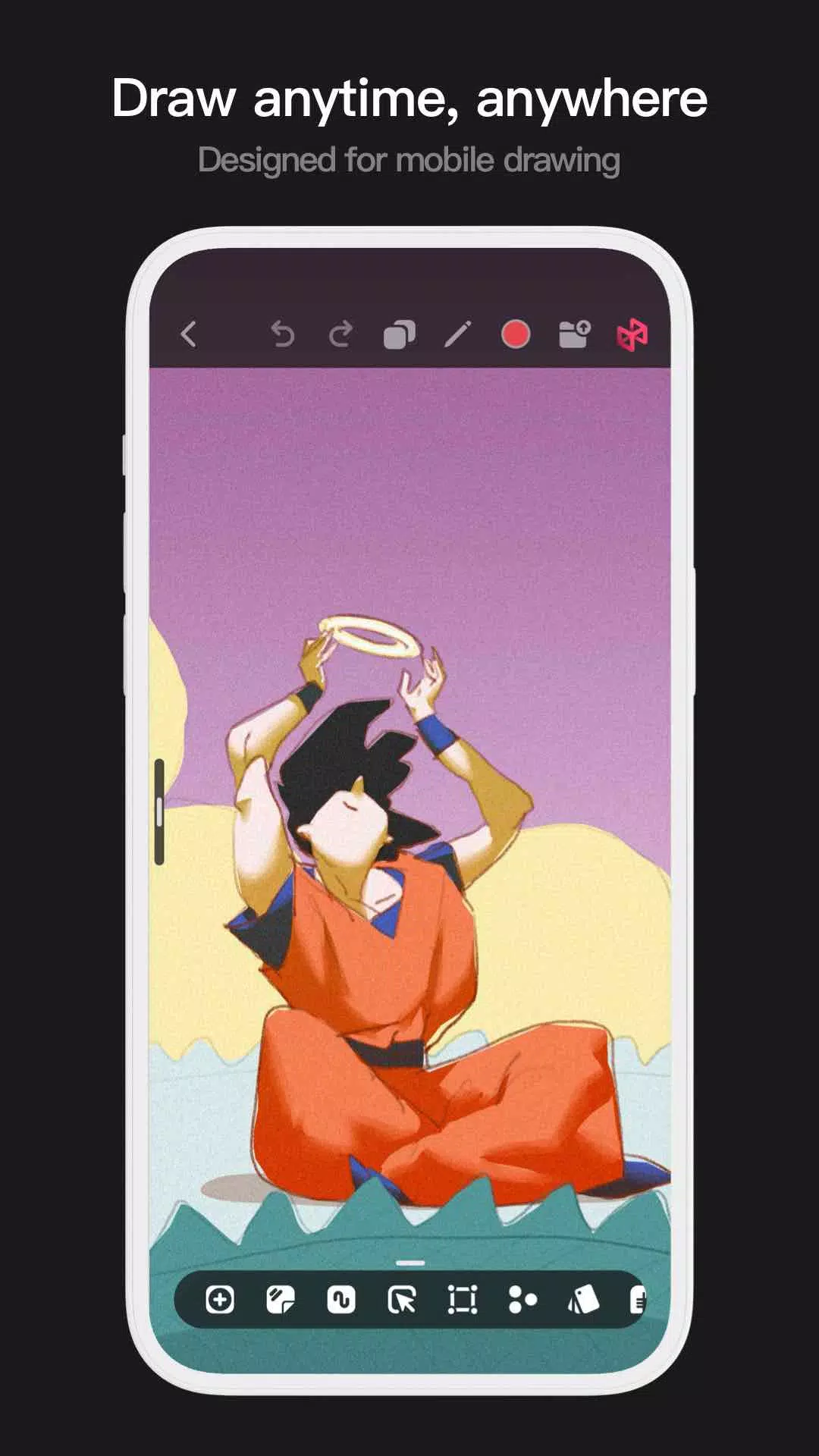


Introducing the Pofi Brush, a versatile art tool designed for mobile devices that empowers creators and artists to indulge in a superior painting experience and unleash their creativity. With the Pofi Brush, you can transform your mobile device into a full-fledged art studio, complete with a wide array of tools and features.
Pofi Brush boasts an extensive selection of beautifully designed brushes, a comprehensive suite of layer color tools, an elegant and intuitive interface, and a robust 2D Artistic Engine. These features come together to deliver a seamless art studio experience, and the best part is, they're all free! Whether you're a novice or a seasoned professional, Pofi Brush enables you to craft stunning sketches, illustrations, comics, and cartoons on your phone or tablet, ensuring you can capture and express your creative inspiration anytime, anywhere.
Powerful 2D Artistic Engine
The cornerstone of Pofi Brush is its powerful 2D Artistic Engine, meticulously developed by the Pofi team. Optimized for 64-bit multi-core processors, this engine is compatible with various platforms and supports expansive HD canvases and multiple layers. It's designed to deliver smooth performance, ensuring the best possible painting experience.
- Supports canvas sizes up to 4k × 4k px, allowing for crystal-clear, lifelike artwork.
- Features an easy-to-use interface tailored for mobile painting.
- Optimized for 64-bit multicore processors to ensure smooth drawing speeds.
- Utilizes the Electronic pen for smooth, realistic, and low-latency strokes.
- Includes auto-save and save-on-exit functionalities.
- All features are fully supported on both phones and tablets.
Professional Brush Editor
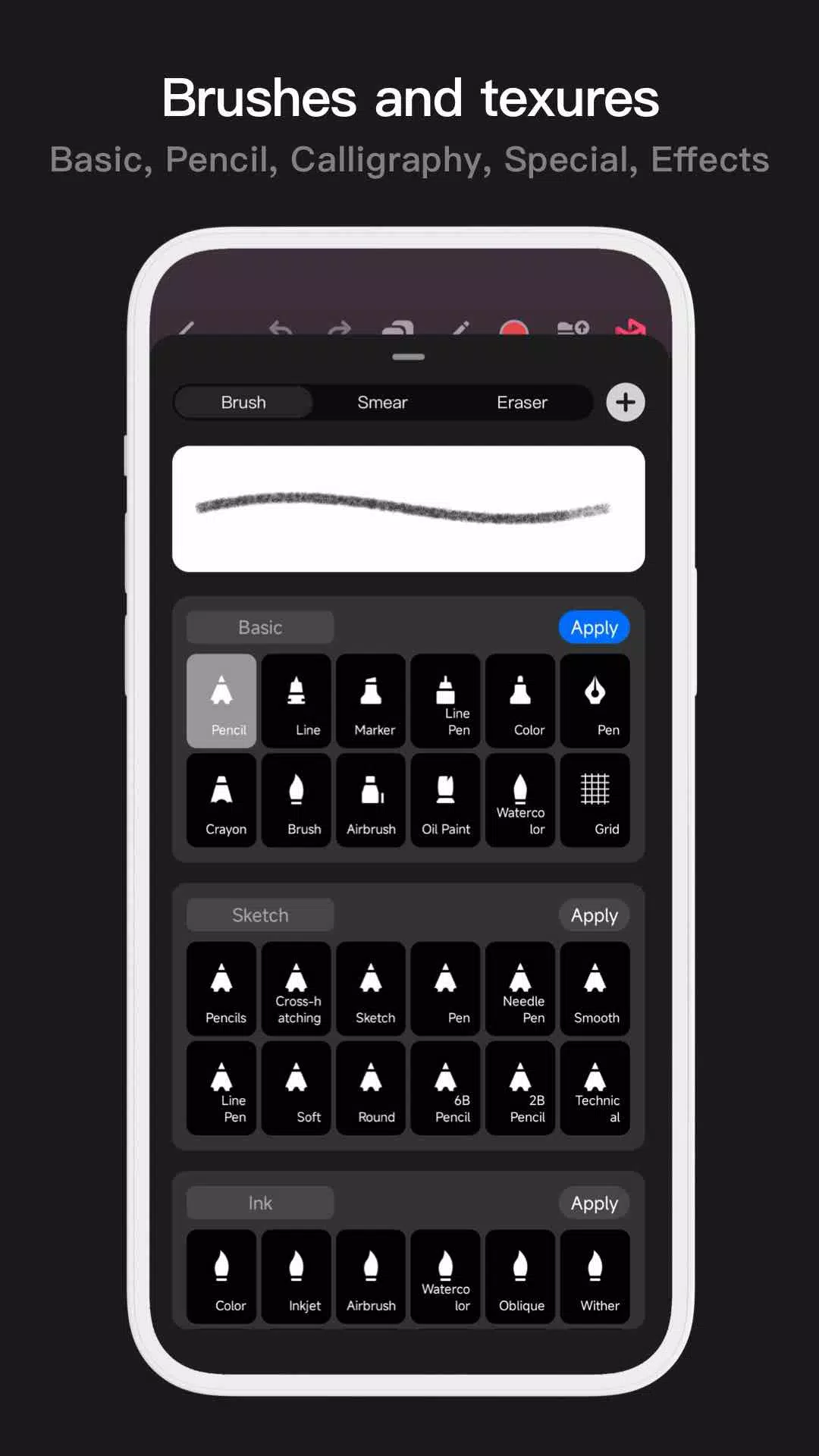
Pofi Brush comes equipped with dozens of creative brushes across various types, each offering over 40 customizable settings. This allows you to tailor the brush editor to your personal style and creative needs or even design your own custom brushes for a truly personalized touch.
- Includes dozens of meticulously designed creative brushes for sketching, inking, textures, and more.
- Each brush features three modes: Brush, Eraser, and Smudge.
- Over 40 customizable settings per brush, along with a library of preset nib shapes and textures.
- Organize brushes into groups for efficient management.
- Anti-flutter brush strokes enhance the flow of your brushwork.
- Finger-painting mode simulates pressure, enabling you to paint with the precision of a real paintbrush.
- Maximize the Electronic pen's capabilities with speed, tilt, and pressure sensitivity for a realistic brush experience.
Advanced Multi-layer System
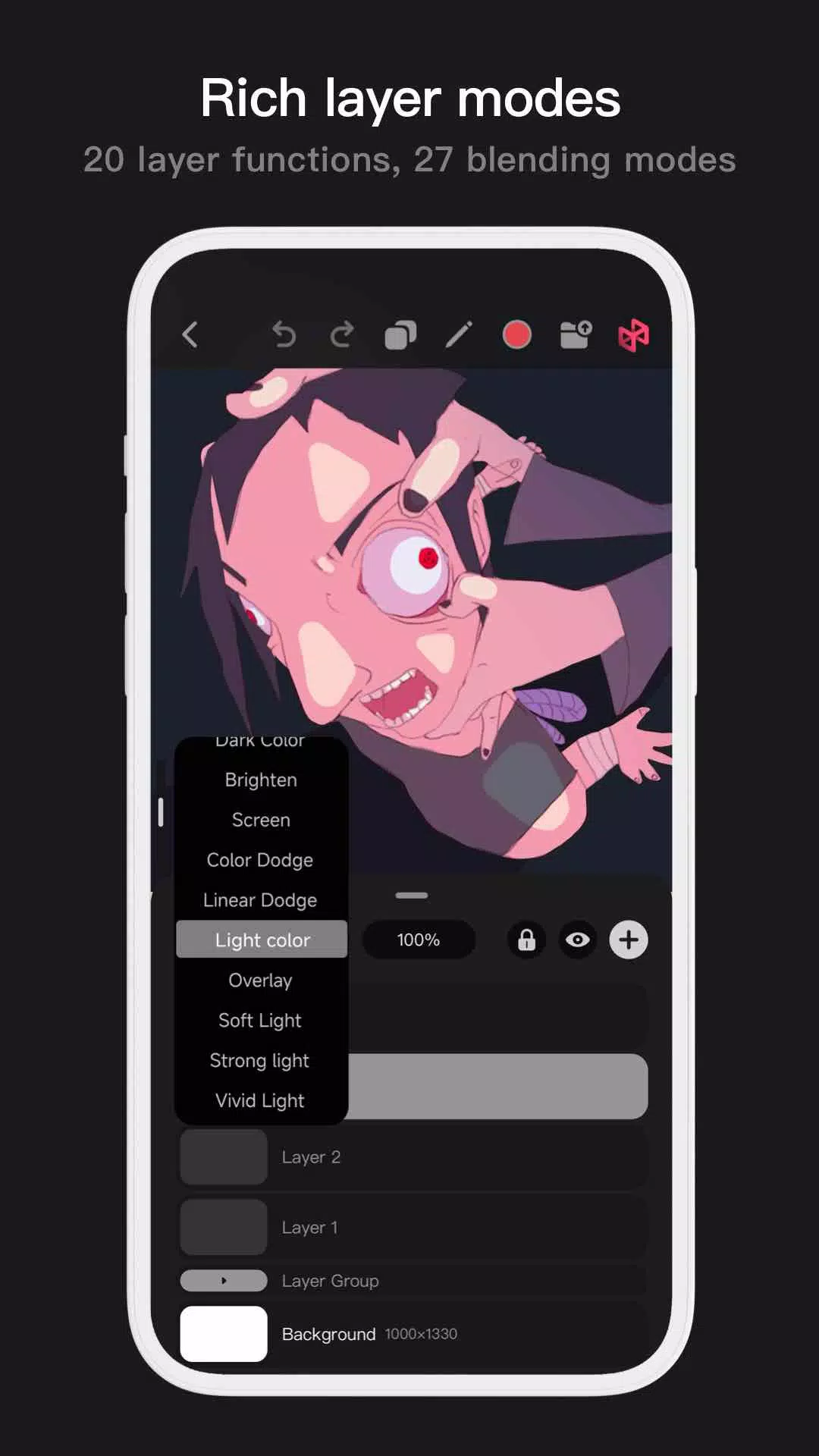
With Pofi Brush's advanced multi-layer system, you can achieve precise control over every aspect of your artwork. The system supports grouping, layer effects, and adjustments to help you craft breathtaking visuals.
- Layer Preview feature for quick and easy layer identification.
- Drag-and-drop functionality for grouping, merging, and deleting multiple layers.
- 20 layer functions including drag sort, show/hide, lock/unlock, transparency adjustment, multi-select, and grouping/ungrouping.
- 27 layer blending modes such as Standard, Darken, Positive Blend, Color Deepen, Linear Deepen, and more.
Full-featured Color Tools
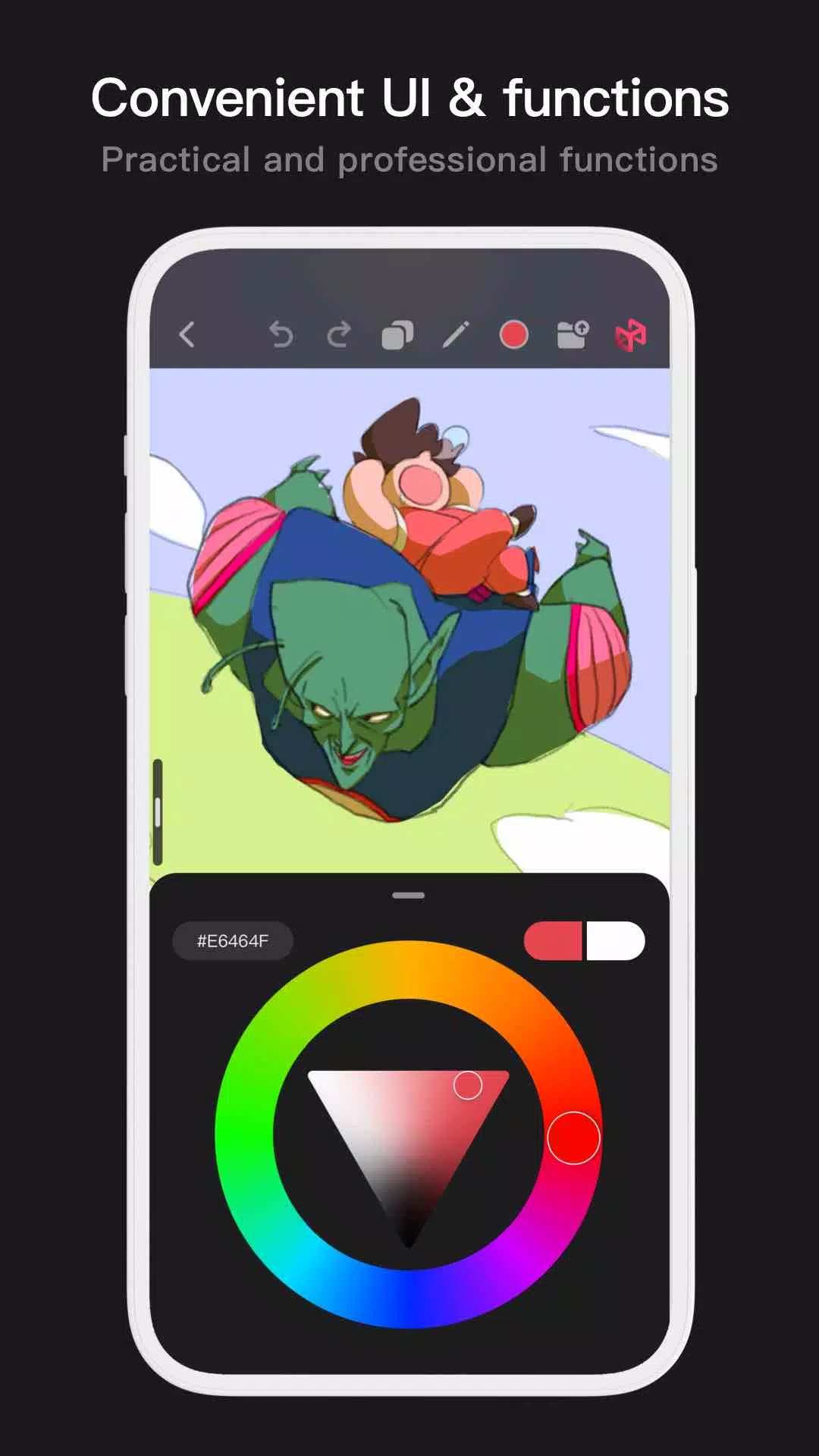
Pofi Brush offers a range of color tool panels and styles to help you quickly and easily access the colors you need for your artwork.
- Four types of color panels: circular color palette, square color palette, HSB numeric color value, and grouped color matching blocks.
- Two color picking methods: input hexadecimal color code or long press to pick a color.
- Six color block functions: group color blocks, rename groups, sort groups, sort color blocks, overlay color blocks, and delete color blocks.
More Highlights
- Cell phone interface supports both half-screen and full-screen expansion.
- Tablet PC supports large interface expansion and small interface drag-and-drop.
- Canvas rotation and zoom capabilities.
- Auto-archive and return-to-save features.
- Supports exporting to Png and Jpg image formats.
If you encounter any questions or have suggestions while using Pofi Brush, please feel free to reach out to us at [email protected].
For more information on our privacy policy, visit https://brush.pofiapp.com/agreement/privacy.
-
 2025 Gacha Games: Full Release List
-
 Black Ops 6 Zombies: How To Configure The Summoning Circle Rings on Citadelle Des Morts
-
 Azure Latch Codes (March 2025)
-
 Roblox: SpongeBob Tower Defense Codes (January 2025)
-
 Persona 5: Phantom X Playtest Leaks on SteamDB
-
Chimera Clan Boss Guide: Top Builds, Masteries, and Gear for RAID: Shadow Legends