


| App Name | Riv Screen Recorder |
| Developer | Rivulus Studios |
| Category | Tools |
| Size | 4.50M |
| Latest Version | 2.3.0 |
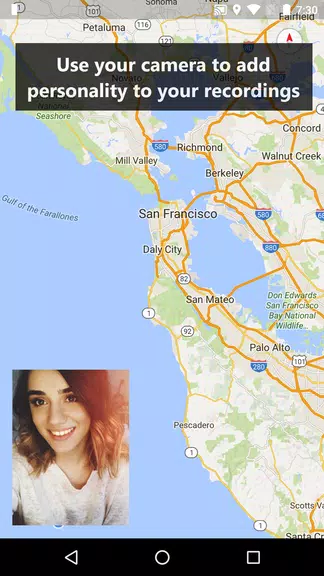
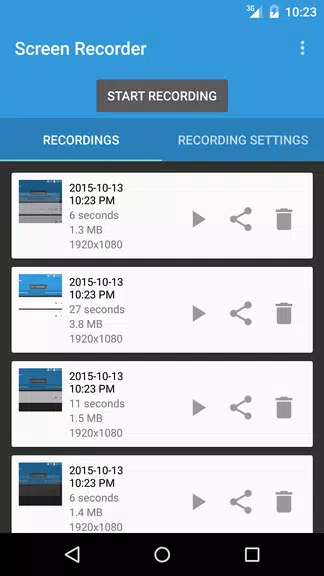
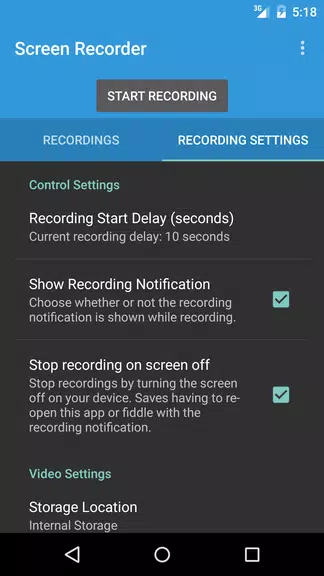
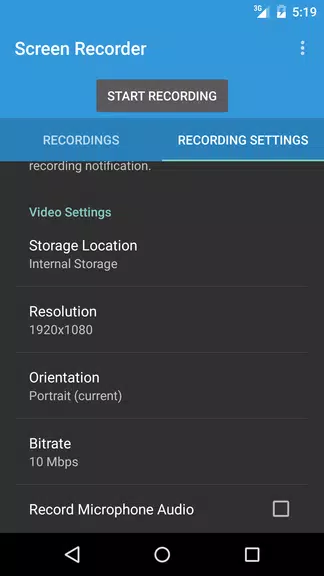


Introducing Riv Screen Recorder, the ultimate screen recording app designed for Android devices running on Android 5.0 and above. This powerful app enables you to capture high-quality videos with ease, without the need to root your device. Riv ensures all your recordings are neatly stored in a dedicated folder, making it simple to access, edit, and share them using your preferred applications. The app is packed with exciting features such as using your device's cameras for picture-in-picture recording, saving directly to your SD card, and the ability to adjust video resolution, orientation, and bitrate. Additionally, you can record audio and set a recording start delay, making Riv the perfect solution for all your screen recording requirements.
Features of Riv Screen Recorder:
Simple and Easy to Use: Riv Screen Recorder is crafted to offer a user-friendly experience, making it accessible for both novice and experienced users. With an intuitive interface and easy-to-use controls, starting your screen recording is a breeze.
No Rooting Required: Unlike many other screen recording apps, Riv utilizes official APIs introduced in Android Lollipop and later versions, eliminating the need for rooting your device. This means you can record your screen safely without affecting your device's security or warranty.
Versatile Recording Options: The app comes equipped with features that enhance your recording experience. You can use your device's cameras for picture-in-picture recording, capturing both your screen and surroundings simultaneously. Furthermore, you have the flexibility to save your recordings directly to your SD card, ensuring you have ample space for your videos.
High-Quality Recordings: Riv Screen Recorder enables you to record at full screen resolution, ensuring your videos are crisp and clear. It also allows you to customize the resolution, orientation, and bitrate to suit your specific needs, ensuring top-notch video quality every time.
Tips for Users:
Familiarize Yourself with the Settings: Before you start recording, take a moment to explore the various settings Riv offers. Experiment with different resolutions, orientations, and bitrates to find the optimal setup for your recordings.
Utilize the Picture-in-Picture Feature: Maximize the use of the picture-in-picture feature by incorporating your device's cameras. This allows you to capture yourself or your environment while recording your screen, adding an engaging and dynamic touch to your videos.
Organize Your Recordings: Riv Screen Recorder automatically saves your recordings in an organized folder, making it easy to manage your files. Utilize this organization to keep your recordings tidy and easily accessible. You can seamlessly view, edit, and share your videos using your favorite applications.
Optimize Recording Start Delay: If you need time to prepare before recording starts, adjust the recording start delay in the settings. This feature gives you the time needed to set up your screen and ensure everything is ready before you begin capturing your content.
Conclusion:
Riv Screen Recorder is aptly named, offering a seamless, versatile, and high-quality screen recording experience for Android users. With its user-friendly interface, no rooting requirement, and a plethora of features, it caters to a wide audience, from beginners to professionals. Whether you're looking to record tutorials, gameplay, or any other on-screen activity, Riv has you covered. Leverage its diverse settings and features to produce professional-quality recordings with just a few taps. Download Riv Screen Recorder now and experience the simplicity and excellence it brings to all your screen recording needs.
-
 2025 Gacha Games: Full Release List
-
 Azure Latch Codes (March 2025)
-
 Black Ops 6 Zombies: How To Configure The Summoning Circle Rings on Citadelle Des Morts
-
 Roblox: SpongeBob Tower Defense Codes (January 2025)
-
 Persona 5: Phantom X Playtest Leaks on SteamDB
-
Chimera Clan Boss Guide: Top Builds, Masteries, and Gear for RAID: Shadow Legends