

Home > Apps > Productivity > SmartDok Document Center

| App Name | SmartDok Document Center |
| Category | Productivity |
| Size | 3.17M |
| Latest Version | 1.4.40 |
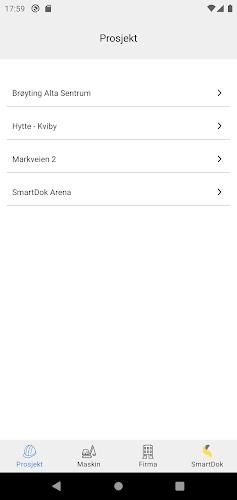
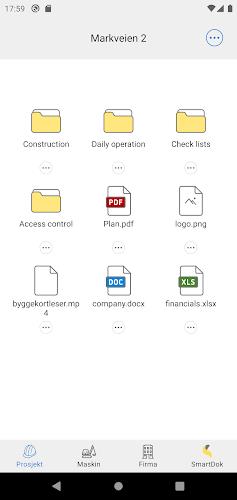
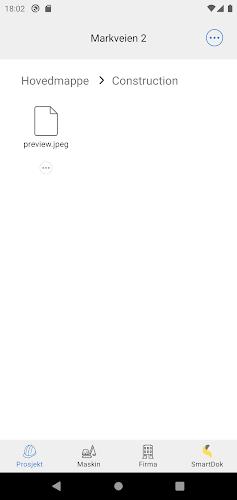



Introducing SmartDok Document Center, the app that revolutionizes document sharing and collaboration. With its intuitive interface, you can effortlessly share and collaborate on documents with your colleagues, streamlining teamwork. Access essential documentation for projects, certificates, licenses, and operating manuals with ease. Read PDF files and view photos directly within the app, eliminating the need for external applications. Upload files and photos, or even capture images instantly and share them seamlessly. As a SmartDok administrator, you have the power to create new document centers for projects and machines. Download SmartDok Document Center today and experience a streamlined document management process.
Features of this App:
- Simple User Interface: The app boasts a user-friendly interface, making it easy for users to navigate and utilize its features.
- Efficient Document Sharing and Collaboration: Users can effortlessly share and collaborate on documents with colleagues, facilitating seamless teamwork on projects.
- Access to Documentation: The app provides convenient access to documentation for various projects, certificates, licenses, and operating manuals, saving time and effort in locating relevant documents.
- PDF File Reading and Photo Viewing: Users can read PDF files and view photos directly within the app, eliminating the need to switch between applications.
- File and Photo Upload: Users can upload files and photos directly from their devices, simplifying the process of adding new documents or sharing relevant images.
- Camera Integration: The app allows users to capture images using their device's camera and share them directly within the app, ideal for capturing and sharing visual information related to projects.
Conclusion:
In essence, SmartDok Document Center offers a simple and efficient solution for users to share and collaborate on documents with colleagues. It provides convenient access to project documentation, certificates, licenses, and operating manuals. Additionally, users can read PDF files, view photos, upload files and photos, and even take pictures within the app. The app's user-friendly interface and valuable features make it an indispensable tool for individuals and teams working on diverse projects. Click the download button to experience its benefits firsthand.
-
SophieFeb 11,25Génial pour le partage de documents! L'interface est très intuitive et facile à utiliser.Galaxy S23+
-
KlausOct 19,24Die App ist langsam und unübersichtlich. Ich bin enttäuscht.Galaxy S23
-
MariaMay 30,24Buena app, pero a veces se cuelga. Necesita algunas mejoras de estabilidad.Galaxy S20
-
文档达人May 04,24文档共享很方便,界面简洁易用,提高了团队协作效率。iPhone 14 Pro
-
DocSmithMay 02,24Makes sharing documents so much easier! The interface is intuitive and it's great for collaboration.OPPO Reno5
-
 2025 Gacha Games: Full Release List
-
 Black Ops 6 Zombies: How To Configure The Summoning Circle Rings on Citadelle Des Morts
-
 Azure Latch Codes (March 2025)
-
 Roblox: SpongeBob Tower Defense Codes (January 2025)
-
 Persona 5: Phantom X Playtest Leaks on SteamDB
-
Chimera Clan Boss Guide: Top Builds, Masteries, and Gear for RAID: Shadow Legends