

Home > Apps > Photography > USB Photo Viewer

| App Name | USB Photo Viewer |
| Developer | Homesoft, LLC |
| Category | Photography |
| Size | 5.00M |
| Latest Version | 11.4.1 |


USB Photo Viewer: Access Your Photos Directly from USB on Android
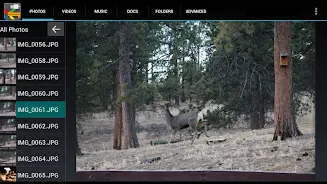
Effortlessly view JPEG and RAW image files stored on USB flash drives or SD cards directly on your Nexus, Pixel, or other Android 4.0+ device with USB host capabilities. This app (formerly Nexus Photo Viewer) doesn't require root access, offering a convenient solution for accessing your photos without complex setup.
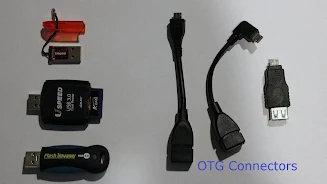
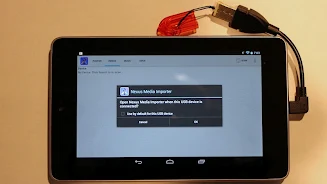
To get started, you'll need a USB OTG cable and either a USB flash drive or a USB SD card reader with an SD card. Please note: the Nexus 4 lacks USB host support. For optimal performance when connecting a hard drive to a tablet, using external power is highly recommended. A helpful instructional video is available for connection guidance.
Key Features:
- View JPEG and RAW photos from USB drives or SD cards on compatible Android devices.
- Requires a readily-available and inexpensive USB OTG cable (easily purchased online).
- Supports both USB flash drives and USB SD card readers.
- No root access is needed.
- External power is advised when using a hard drive with a tablet.
- Comprehensive troubleshooting information is available on the developer's website.
In short, USB Photo Viewer provides a simple and effective method to access your photos directly from USB storage on your Android device. Its root-free operation and readily available support make it a user-friendly option. Download the app today and start enjoying seamless photo viewing!
-
 2025 Gacha Games: Full Release List
-
 Black Ops 6 Zombies: How To Configure The Summoning Circle Rings on Citadelle Des Morts
-
 Roblox: SpongeBob Tower Defense Codes (January 2025)
-
 Azure Latch Codes (March 2025)
-
 Persona 5: Phantom X Playtest Leaks on SteamDB
-
Chimera Clan Boss Guide: Top Builds, Masteries, and Gear for RAID: Shadow Legends